
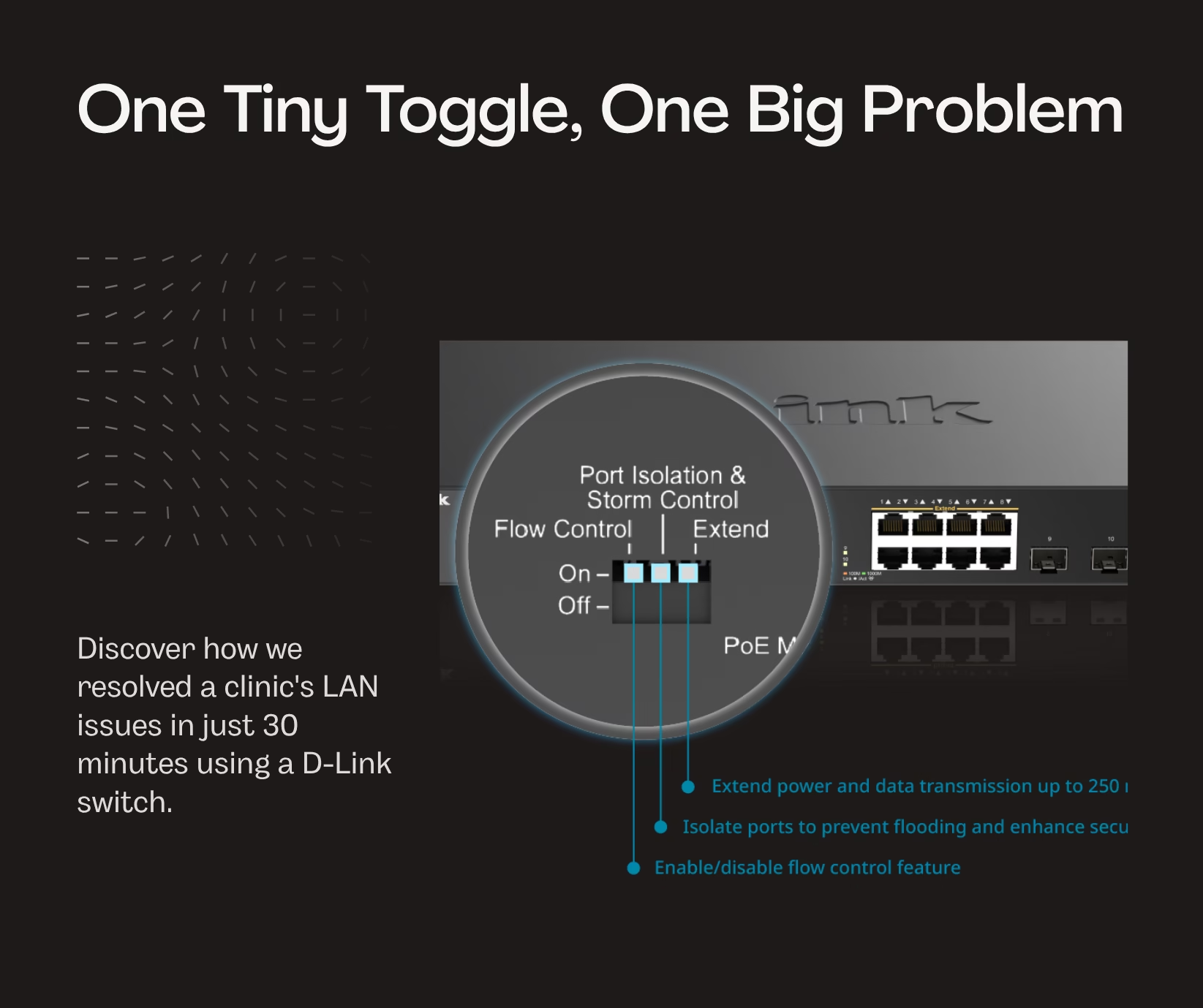
We got a call from a clinic in Greater Kailash 2 — their equipment was not communicating with each other over LAN. However, laptops and desktops could connect to the internet.
The network setup at the office was new, hardly a month old. The previous vendors who set it up, at the time of handover, had just ensured that all network ports were connecting with Wi-Fi. At that time it did not dawn on them to check LAN connectivity.
They contacted a couple of other vendors to fix it — but without much success.
So, there we were — the third vendor. We went there, saw the network rack, and were able to figure out the primary problem in the first 10 minutes. This was not our first rodeo with this issue. Once we had spent hours trying to figure out why devices on the same network would refuse to communicate with each other.
Can You Spot the Problem?
Now look at the image below and see if you can figure out what the problem might be.
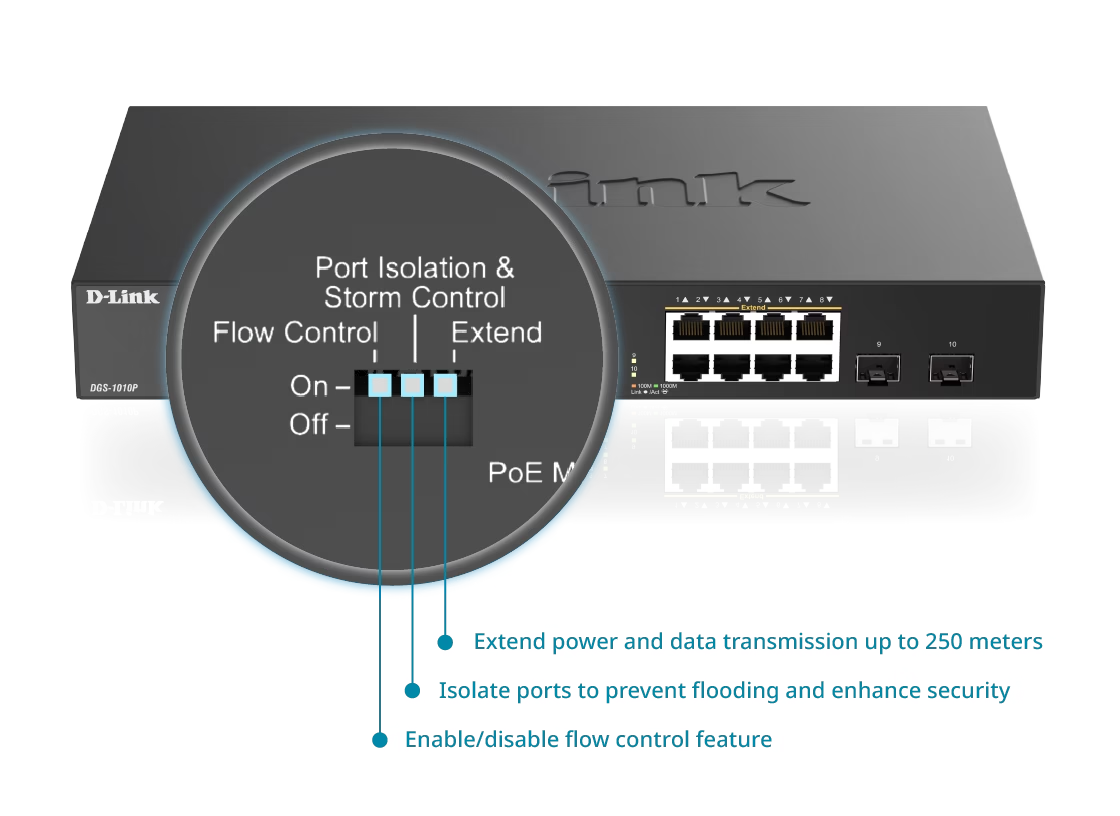
D-Link DGS-1016P — Port Isolation & Storm Control DIP switch panel
The Culprit: Port Isolation
You may have guessed it — it’s a feature on many switches called Port Isolation, which can be toggled on or off. It’s off by default, and small businesses rarely use it or even know it exists. However, it occasionally gets accidentally toggled on, and this leads to a situation where devices on the same Local Area Network do not communicate with each other.
All within 30 minutes — including the secondary issue of the disconnected backbone cable to the ISP router. And in those 30 minutes, we started a long-term relationship built on trust.
We are currently mapping their entire network and creating a blueprint for future reference.
Facing unexplained LAN issues where your devices can reach the internet but not each other? Give us a call — chances are, we’ve seen it before.



Leave a Reply