
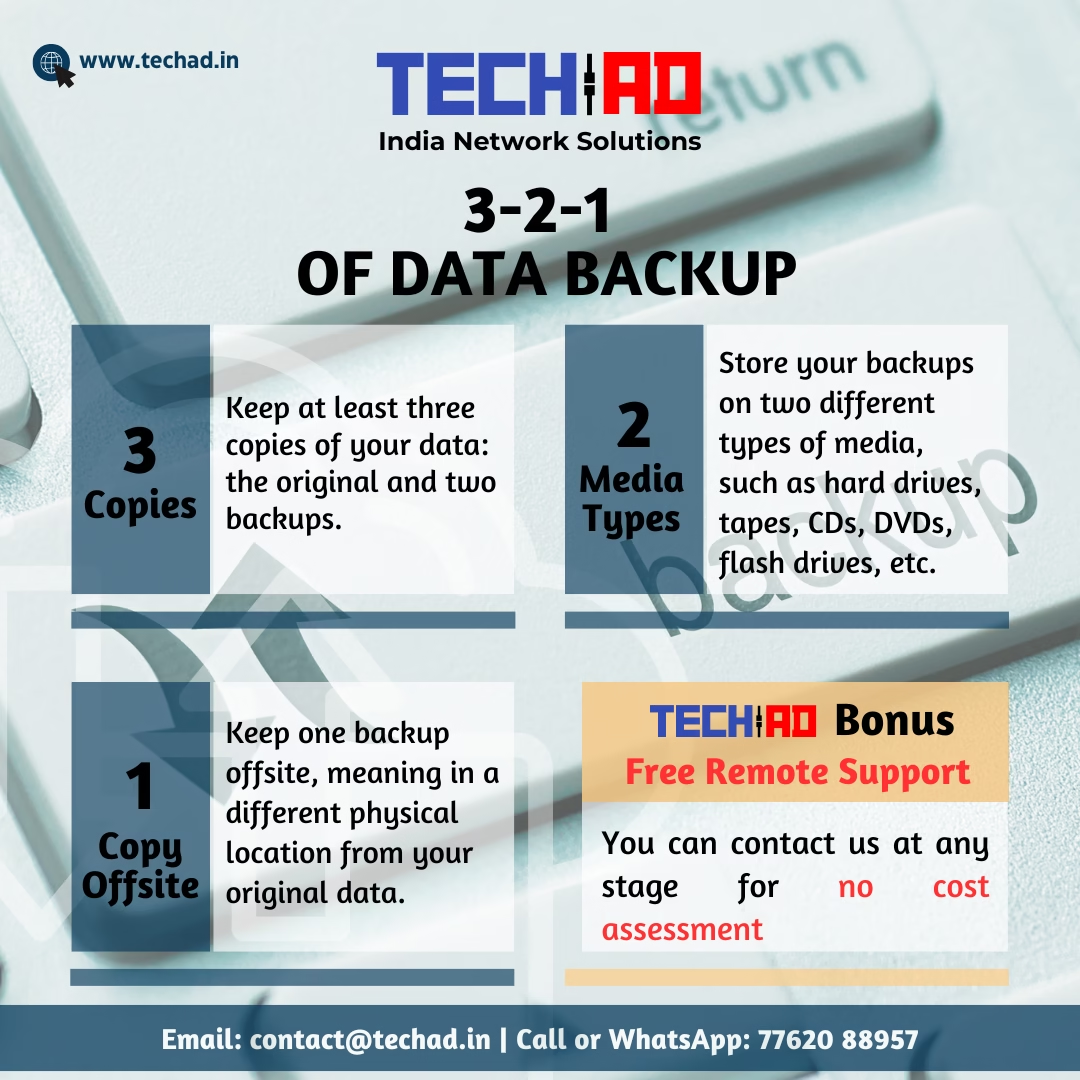
The simplest, most proven strategy to protect your business data from loss — forever.
Every day, businesses across Delhi-NCR lose critical data — to hardware failure, accidental deletion, ransomware attacks, and power surges. The tragedy? Most of it is entirely preventable. Industry experts and data recovery professionals agree on one timeless framework: the 3-2-1 Backup Rule. It’s not complicated. It’s not expensive. But skipping it can cost you everything.
The Framework
3 Copies of Your Data
Keep at least three copies of your data at all times: the original working copy, plus two independent backups. If one fails, you always have a fallback. If two fail simultaneously, you’re still protected.
2 Different Media Types
Store your backups on two different types of storage media — for example, an internal hard drive paired with an external USB drive, NAS device, tape, or cloud storage. Different media means different failure modes, which means better protection.
1 Copy Stored Offsite
At least one backup must be kept in a completely different physical location from your original data. Fire, flood, theft, or a power surge can destroy everything in one room — but they can’t reach an offsite copy. Cloud backup (Google Drive, OneDrive, Backblaze) or a drive kept at a trusted remote location both qualify.
The offsite copy is the most commonly skipped step — and the most critical. Many Delhi businesses keep both backups in the same office. When a server room floods or a UPS fails and takes out a rack, both copies go together. One copy must always be elsewhere.
Why Every Business in Delhi-NCR Needs This Now
Unplanned power cuts, frequent voltage fluctuations, monsoon-season flooding, and the rising threat of ransomware make data loss a genuine and recurring risk for businesses in our region — especially SMBs without dedicated IT staff.
The 3-2-1 rule was originally developed by photographer Peter Krogh and later adopted by the US-CERT (United States Computer Emergency Readiness Team) as the gold standard for data resilience. It has since become the foundation of every enterprise backup strategy worldwide — and it scales perfectly for a 5-person office or a 500-person organisation.
The good news: implementing 3-2-1 doesn’t require expensive hardware. A combination of an external HDD and a cloud subscription can get you there for a few thousand rupees per year — far less than the cost of a single data recovery attempt (which can run ₹10,000–₹1,00,000+ with no guarantee of success).
Choosing Your 2 Media Types
| Media Type | Best For | Reliability | Offsite Suitable? |
|---|---|---|---|
| Internal HDD / SSD | Primary backup on local server or NAS | High | No (stays on-site) |
| External USB Drive | Secondary local backup, easy rotation | Medium–High | Yes (carry offsite) |
| NAS Device | Automated, always-on network backup | Very High | No (stays on-site) |
| Cloud Storage | Offsite copy — Google Drive, OneDrive, Backblaze | Very High | Yes (inherently) |
| Magnetic Tape | Large volume archival backups | Excellent (long-term) | Yes |
| DVD / Optical Disc | Archiving documents & records | Medium | Yes |
Your 3-2-1 Setup Checklist
- Identify your critical data. Accounting files, client records, project data, emails — know exactly what must not be lost.
- Set up an automated daily backup to a local drive or NAS. Manual backups get forgotten — automation does not.
- Choose a second media type. If your primary backup is an internal HDD, add an external USB drive or NAS on a separate unit.
- Enable cloud backup as your offsite copy. Google Workspace, Microsoft 365 OneDrive, or a dedicated service like Backblaze all work well.
- Test your restore process. A backup you have never tested is a backup you cannot trust. Restore a sample file at least once a quarter.
- Document your backup policy. Who runs it? How often? Where are the credentials? Make it a written procedure, not tribal knowledge.
Not Sure If Your Backup Is Actually Working?
Tech-AD offers a free, no-obligation backup assessment for businesses across Delhi-NCR. We’ll review your current setup and tell you exactly where the gaps are — at no cost.



Leave a Reply