
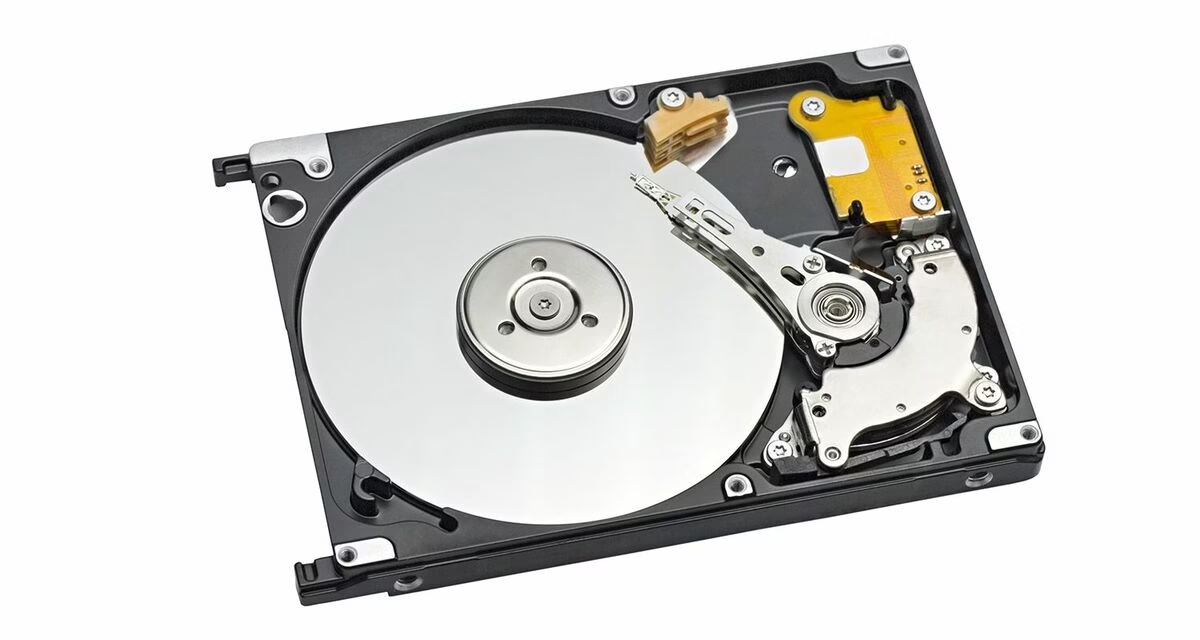
If you’ve ever bought a hard disk drive for a NAS, server, or even a desktop PC and later noticed unexpectedly slow write speeds or RAID rebuild failures — the culprit may well have been the recording technology inside the drive. Not all HDDs are built the same, and three terms define the difference: PMR, CMR, and SMR. Understanding them before you buy can save you hours of frustration and, in a business environment, real money.
Quiet Surge: SSD/RAM Prices: Why SSD and RAM prices are rising right now!
What Is PMR — Perpendicular Magnetic Recording?
PMR, or Perpendicular Magnetic Recording, was a landmark shift in HDD technology when it was introduced in the mid-2000s. Instead of writing data bits parallel to the disk surface (as older longitudinal recording did), PMR orients the magnetic poles vertically — perpendicular to the platter. This allows bits to be packed much more densely, dramatically increasing storage capacity per platter.
PMR became the industry baseline and is still the foundation of modern HDDs. All CMR drives use PMR as their underlying recording method. The term “PMR” is sometimes used loosely to mean any non-SMR drive, but its precise meaning refers to this orientation of magnetic recording.
CMR — Conventional Magnetic Recording
CMR stands for Conventional Magnetic Recording. It is not a new technology in itself — it is simply PMR by another name, coined to differentiate traditional drives from the newer SMR type.
In a CMR drive, each track is written independently with a clear gap between adjacent tracks. This means any track can be rewritten at any time without affecting its neighbours. The result is consistent, predictable read/write performance across all workloads — whether sequential or random, light or heavy.
CMR is the go-to choice for NAS devices, RAID arrays, surveillance systems, and workstations. You will also see it labelled as PMR in some manufacturer specifications — the two terms mean the same thing in this context.
SMR — Shingled Magnetic Recording
SMR, or Shingled Magnetic Recording, takes a different approach to boosting capacity. Tracks are written so that each new track partially overlaps the previous one — like roof shingles — using a write head that is wider than the read head. This allows manufacturers to cram more tracks onto the same platter and offer higher capacities at a lower cost per terabyte.
The problem is an inherent write penalty. Because tracks overlap, rewriting any one track risks corrupting adjacent tracks. The drive must therefore:
- Read the entire affected “band” of tracks into the drive’s internal cache
- Erase the band completely
- Write the band back with the updated data
This read-modify-write cycle introduces significant latency spikes during sustained or random writes, especially once the drive’s cache is full. In a RAID environment, this can cause the RAID controller to time out and mark the drive as failed — even when there is nothing actually wrong with it.
Device-Managed vs Host-Managed SMR
SMR drives come in two varieties. Device-managed (DM-SMR) drives handle the read-modify-write complexity internally, hiding it from the operating system — this makes them appear as standard drives but leads to unpredictable performance dips under load. Host-managed (HM-SMR) drives are designed for hyperscale and cloud environments where the OS explicitly manages the drive’s zones. These require special software support and are not intended for typical consumer or SMB use.
The RAID Timeout Cascade
In a RAID environment, the SMR write penalty is fatal. When the drive halts to perform a read-modify-write cycle, the RAID controller experiences a massive latency spike. Assuming the drive is dead, the controller times out and drops the drive from the array entirely.
CMR vs SMR — Side by Side
| Feature | CMR / PMR | SMR |
|---|---|---|
| Track Layout | Non-overlapping, independent tracks | Overlapping (shingled) tracks |
| Write Performance | Consistent under all workloads | Drops significantly under sustained load |
| Random Write | Good | Poor |
| RAID / NAS Suitability | Recommended | Not Recommended |
| Capacity per Cost | Moderate | Higher (same platter count) |
| RAID Rebuild Risk | Low | High (can trigger timeouts) |
| Best Use Cases | NAS, servers, RAID, CCTV/DVR, workstations | Cold storage, backups, archival, light desktop use |
Western Digital — What to Look For
WD’s consumer and business lineup spans both recording technologies. Here is a breakdown of their key HDD series:
WD Red Plus (NAS) — CMR
The safe NAS choice. Available 1 TB–14 TB. Designed for 24×7 NAS use, supports up to 8-bay enclosures. Replaced the original WD Red (which had SMR contamination) as the recommended NAS drive in the 1–6 TB range.
WD Red Pro (NAS) — CMR
Heavy-duty NAS and RAID use. Available 2 TB–24 TB. Supports up to 24-bay enclosures, 7200 RPM, 5-year warranty. Best for business NAS environments with many simultaneous users.
WD Gold (Enterprise) — CMR
Server and data centre grade. Available up to 24 TB. Built for 24×7 enterprise workloads with high MTBF ratings and a 5-year warranty. Ideal for rack servers and high-demand storage.
WD Purple (Surveillance) — Mostly CMR*
Optimised for DVR/NVR continuous write workloads. Available 1 TB–18 TB. Supports AllFrame AI technology. *Some lower-capacity models (1–2 TB) may use SMR — always verify before use in professional CCTV setups.
WD Blue (Desktop) — Mixed*
General desktop use. Available 500 GB–6 TB. *Models 2 TB and below have historically included SMR variants. Fine for single-drive desktop use; avoid in RAID or NAS.
WD Red Original (discontinued) — SMR 1–6 TB
The infamous SMR controversy. WD silently shipped SMR variants in the 1–6 TB range under “Red” NAS branding. Now discontinued; replaced by Red Plus (CMR). Avoid if found secondhand for NAS use.
Seagate — What to Look For
Seagate has been more transparent about SMR vs CMR labelling in recent years and offers a strong CMR lineup for business use:
Seagate IronWolf (NAS) — CMR
The standard NAS drive for home and SMB. Available 1 TB–20 TB. Supports up to 8-bay NAS, includes IronWolf Health Management. 3-year warranty. Top recommendation for small business NAS setups.
Seagate IronWolf Pro (NAS) — CMR
Enterprise NAS and RAID. Available 4 TB–24 TB. 7200 RPM, up to 24-bay support, 5-year warranty, 2 years of free data recovery. Best for demanding multi-user NAS and small server environments.
Seagate Exos X (Enterprise) — CMR
Seagate’s flagship enterprise drive. Available up to 24 TB. Built for data centres, 24×7 operation, and large RAID arrays. Extremely high endurance ratings. Ideal for rack servers and cloud storage nodes.
Seagate SkyHawk (Surveillance) — CMR
Purpose-built for DVR/NVR CCTV systems. Available 1 TB–10 TB. Supports up to 64 HD camera streams. ImagePerfect firmware minimises dropped frames. Reliable for 24×7 surveillance recording.
Seagate Barracuda (Desktop) — Mixed*
General desktop and laptop use. Available 500 GB–8 TB. *Models in the 1–2 TB range use SMR. The 4 TB and above models are CMR. Suitable for single-drive desktop use; check specs before using in RAID.
Seagate Archive HDD — SMR
Explicitly designed for cold/archival storage using SMR. Available up to 8 TB. Write-once or infrequently — ideal for long-term backups where speed is not a priority. Not suitable for active workloads.
Which Drive Should You Choose?
The right choice depends on your use case:
| Use Case | Recommended Type | Example Models |
|---|---|---|
| NAS (1–4 bays, home/SMB) | CMR | WD Red Plus, Seagate IronWolf |
| NAS (8+ bays, business) | CMR | WD Red Pro, Seagate IronWolf Pro |
| Rack Server / Enterprise | CMR | WD Gold, Seagate Exos X |
| CCTV / DVR / NVR | CMR | WD Purple (4TB+), Seagate SkyHawk |
| Desktop (single drive) | CMR preferred | WD Blue 4TB+, Seagate Barracuda 4TB+ |
| Cold Backup / Archival | SMR acceptable | Seagate Archive HDD, WD Blue 2TB |
Conclusion
Consider upgrading to an SSD instead: SSD Buying Guide
PMR and CMR refer to the same underlying technology — reliable, consistent, track-by-track magnetic recording that has powered enterprise storage for decades. SMR is a cost-cutting capacity booster that works well for archival and light use, but can cause serious problems in RAID arrays, NAS devices, and surveillance systems where sustained write performance matters.
For any business-critical deployment — whether that’s a multi-bay NAS for file sharing, a DVR for 16-camera CCTV, or a Windows Server with RAID-1 — always specify CMR drives explicitly and match the drive series to the workload: IronWolf / IronWolf Pro for NAS, SkyHawk for surveillance, Exos / WD Gold for servers. Getting this decision right upfront avoids the expensive and disruptive task of replacing drives after unexplained failures.
If you need help selecting the right storage hardware for your Delhi-NCR office setup, feel free to contact the Tech-AD team — we’re happy to advise on the right configuration for your workload.




Leave a Reply