
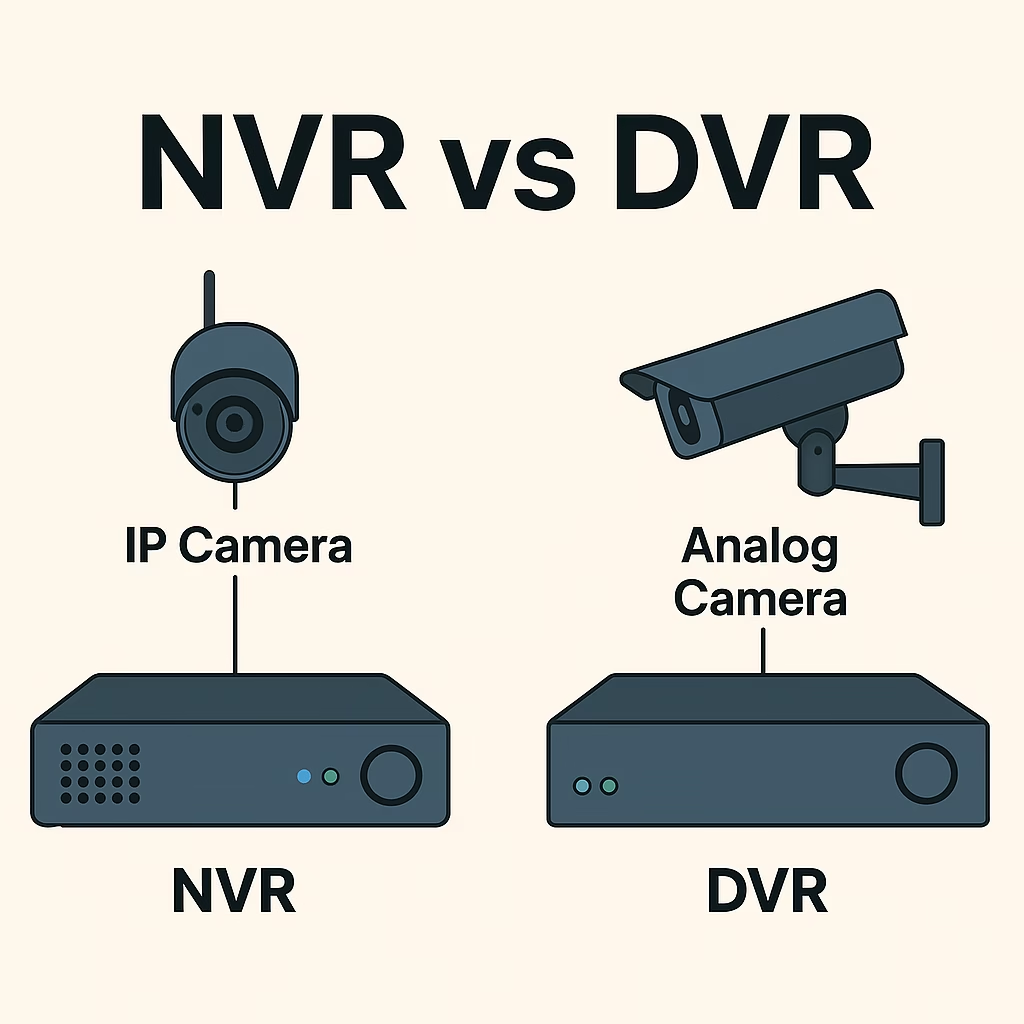
A quick overview of DVR and NVR
| FEATURES | DVR (DIGITAL VIDEO RECORDER) | NVR (NETWORK VIDEO RECORDER) |
|---|---|---|
| Camera Type | Uses analog cameras (traditional CCTV cameras). These cameras capture video signals in analog format. | Uses IP (Internet Protocol) cameras, also called network cameras, which capture and send digital video signals. |
| Video Signal | Analog video signal is sent from the camera through coaxial cable to the DVR, which then converts it to digital. | Video is processed digitally inside the IP camera itself, then streamed over the network to the NVR for recording. |
| Processing | Processing and encoding of video happens inside the DVR hardware. | Processing is done inside the camera (encoding, compression), and the NVR mostly stores and manages the digital files. |
| Cabling | Uses coaxial cables (usually RG59 or RG6) to carry analog video signals, plus separate power cables for cameras. | Uses Ethernet cables (Cat5e or Cat6) which carry both video data and power (using PoE – Power over Ethernet). |
| Power Setup | Cameras usually require separate power adapters (12V or 24V DC) connected individually to each camera. | IP cameras mostly use PoE, so a single Ethernet cable provides both power and data, simplifying installation. |
| Audio Support | Limited audio capability; only some DVRs support audio recording, often requiring special cables and compatible cameras. | Many IP cameras come with built-in microphones and speakers, so audio recording and two-way talk are easier to implement. |
| Video Quality | Generally supports resolutions up to 720p or 1080p; quality depends on analog camera specs and DVR capabilities. | Supports much higher resolutions like 1080p, 4K, with better clarity, colour accuracy, and detail. |
| Installation | More complex due to separate cabling for video and power; coaxial cables are thicker and less flexible. | Easier and cleaner installation with a single Ethernet cable per camera, reducing clutter and cost of wiring. |
| Remote Access & Features | Basic remote viewing through apps or software; limited smart features like motion alerts or night vision control. | Advanced remote access via apps or web, with features like AI-based motion detection, smart alerts, facial recognition, and cloud integration. |
| Scalability | Limited scalability; adding more cameras requires extra DVR channels and more cabling, often bulky and costly. | Highly scalable; IP networks allow many cameras on the same system with minimal extra cabling or hardware changes. |
| Cost | Typically cheaper initially, good for small setups or tight budgets. | Usually higher upfront cost due to IP cameras and network equipment, but better long-term flexibility and features. |
Let’s break down DVR (Digital Video Recorder) and NVR (Network Video Recorder) systems to help you understand their differences in simple terms and determine which one best suits your needs.
A Project Report: Office Network Infrastructure Walkthrough
What is a DVR?
DVR stands for Digital Video Recorder. It’s a video recording system typically used with analog security cameras. This setup was more common before IP (network-based) cameras became mainstream. In a DVR system, the cameras themselves are fairly simple — they primarily capture raw analog video signals. The DVR unit is responsible for converting this analog footage into digital format, storing it on a hard drive.
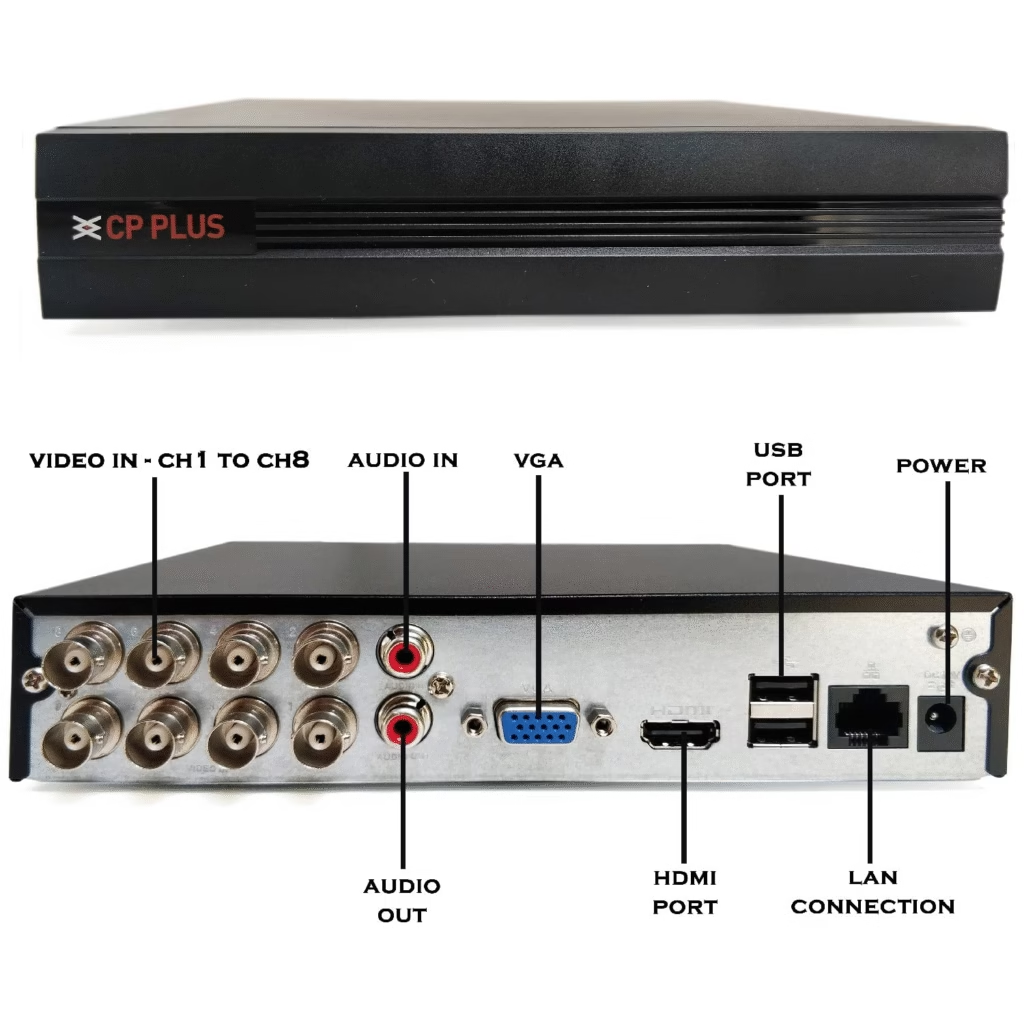
How DVR Systems Work:
- Wired via Coaxial Cables: Analog cameras in a DVR system connect to the recorder using coaxial cables (like RG59). These are thicker cables traditionally used in cable TV and older CCTV setups.
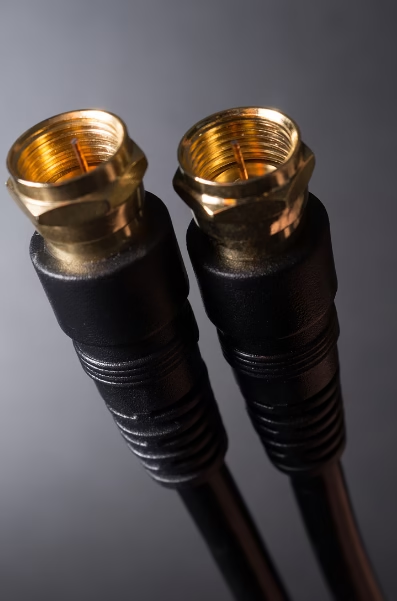
- Centralized Processing:
Unlike IP camera setups, the processing happens at the DVR, not at the camera. The analog cameras just transmit unprocessed video data. - Separate Power Source:
Most analog cameras used with DVRs require their own power source, usually through individual power adapters or a power distribution box. This means running two cables to each camera — one for video (coaxial) and one for power. - Limited Audio & Resolution Options:
DVR systems usually support lower resolutions than modern IP camera setups, although newer HD-over-coax standards (like HD-TVI or HDCVI) can offer higher quality. Audio support is also limited unless specific audio-enabled cameras and DVR channels are used.
Quick Summary:
DVR systems are reliable and often more budget-friendly, especially if you’re upgrading an older analog system. However, they come with limitations in terms of flexibility, resolution, and ease of installation compared to modern NVR setups.
5 things to check before buying an NVR camera: 5 Critical Checks (NVR camera buying)
What is an NVR?
NVR stands for Network Video Recorder. Unlike DVR systems that work with analog cameras, NVR systems are built for IP (Internet Protocol) cameras — which are digital from the start. These systems are more modern, flexible, and capable, and they’ve become the preferred choice for most new security installations.
In an NVR setup, the cameras do most of the heavy lifting — they capture and process the video on their own, then send it digitally to the NVR for storage.
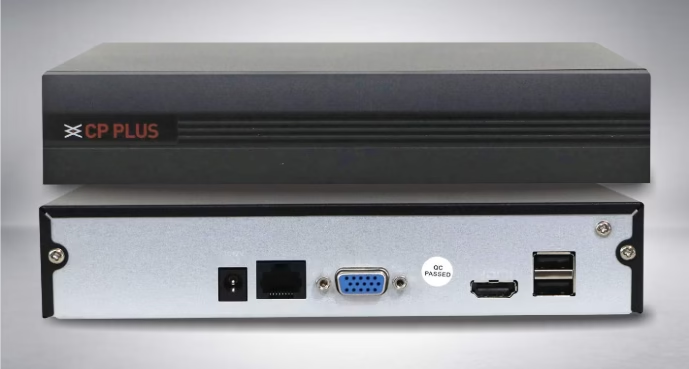
How NVR Systems Work
- Wired or Wireless (via Network):
NVR systems connect to cameras through Ethernet cables (Cat5e or Cat6) or even over Wi-Fi, depending on the setup. These cables are thinner, easier to install, and also support data + power when using PoE (Power over Ethernet). - Decentralised Processing:
Unlike DVR systems, IP cameras do the heavy lifting. They handle the video compression and image processing on their own. The NVR’s main job is to receive the already-processed video and record it. - Single Cable for Power and Video (with PoE):
If your NVR and cameras support PoE, one Ethernet cable can carry both power and video. This reduces clutter and makes installation much simpler. - Higher Resolution & Smart Features:
IP cameras can offer Full HD, 4K, or even higher resolutions. They also support smart features like motion detection, line crossing alerts, face recognition, and remote viewing via mobile apps or cloud services.
Choosing the right IP cameras for your NVR: Guide to IP Cameras
Quick Summary
NVR systems are ideal for anyone setting up a new surveillance system or looking to upgrade to higher quality and smarter features. They’re easier to manage, more capable, and a better long-term investment compared to traditional DVR setups.
If you’ve read our Guide to IP Cameras, you probably already have a good understanding of IP cameras, their types, connection methods, and basic installation steps. This knowledge will help you appreciate why NVR systems are the go-to choice for modern security needs.
Which One Should You Pick?
Choosing between a DVR and an NVR system depends mostly on your needs, budget, and the type of cameras you want to use.
Pick DVR if
- You already have analog cameras installed and don’t want to replace all the wiring and cameras.
- Your budget is tight and you need a basic security system that gets the job done without extra bells and whistles.
- You’re okay with standard video quality like 720p or 1080p, which is enough for everyday monitoring.
- You don’t require advanced features like AI-based motion detection, facial recognition, or smart alerts.
- You want a simpler, older technology setup that is still reliable for basic surveillance needs.
Pick NVR if
- You want higher video resolution such as Full HD (1080p), 4K, or more, for clearer and more detailed footage.
- You prefer easier installation — just one Ethernet cable per camera that carries both power and video, which reduces clutter and saves time.
- You want the flexibility of adding more cameras easily without worrying about extra wiring or compatibility issues.
- You’re looking for smart features like AI-based motion detection, facial recognition, push alerts on your phone, and remote access with better apps.
- You want a system that’s more future-proof and scalable as your security needs grow.
- You don’t mind investing a bit more upfront for better video quality and advanced capabilities.
Why We Recommend NVR (and Not DVR)
At Tech-AD, we only support and recommend NVR (Network Video Recorder) systems — and for good reason. While DVR systems may seem cheaper at first, they come with hidden costs and ongoing maintenance hassles that make them less practical over time.
Here are some common issues with DVR systems:
- Rusting Coaxial Connectors
DVR uses coaxial cables, which can rust easily, especially in humid or outdoor conditions. This leads to poor video signals and blurry footage. - Fragile Connectors
The BNC connectors used in DVR setups often go bad or get loose with slight movement. This results in frequent signal drops and the need to check cables or replace them often. - More Maintenance Needed
DVR systems need separate power cables, and issues like cable wear, connection faults, or adapter failures are common. This means more maintenance and higher long-term costs.
With NVR, all these issues are minimised. It uses Ethernet (Cat5e/Cat6) cables with PoE, so you only need one cable for both video and power — cleaner setup, better quality, and fewer problems.
That’s why we at Tech-AD focus only on NVR solutions. Whether it’s your home, office, or warehouse, we believe NVR gives you the best value, reliability, and future-proof technology.
[/read]



Leave a Reply